Glimpse: GPT-5.4 is OpenAI’s new tool for work. It doesn't just talk. It does tasks. It can use a mouse and keyboard to navigate websites and software like a person. It is 33% more accurate, costs less to use, and lets you course-correct its logic mid-task.
GPT-5.4 has arrived. If previous AI models were like smart digital assistants, GPT-5.4 is more like a digital employee.
It doesn’t just answer questions; it operates your computer, builds software, and handles complex office chores with minimal hand-holding.
Here is the breakdown of what makes this new model a game-changer for regular users and pros alike.
1. A Master of the Modern Office
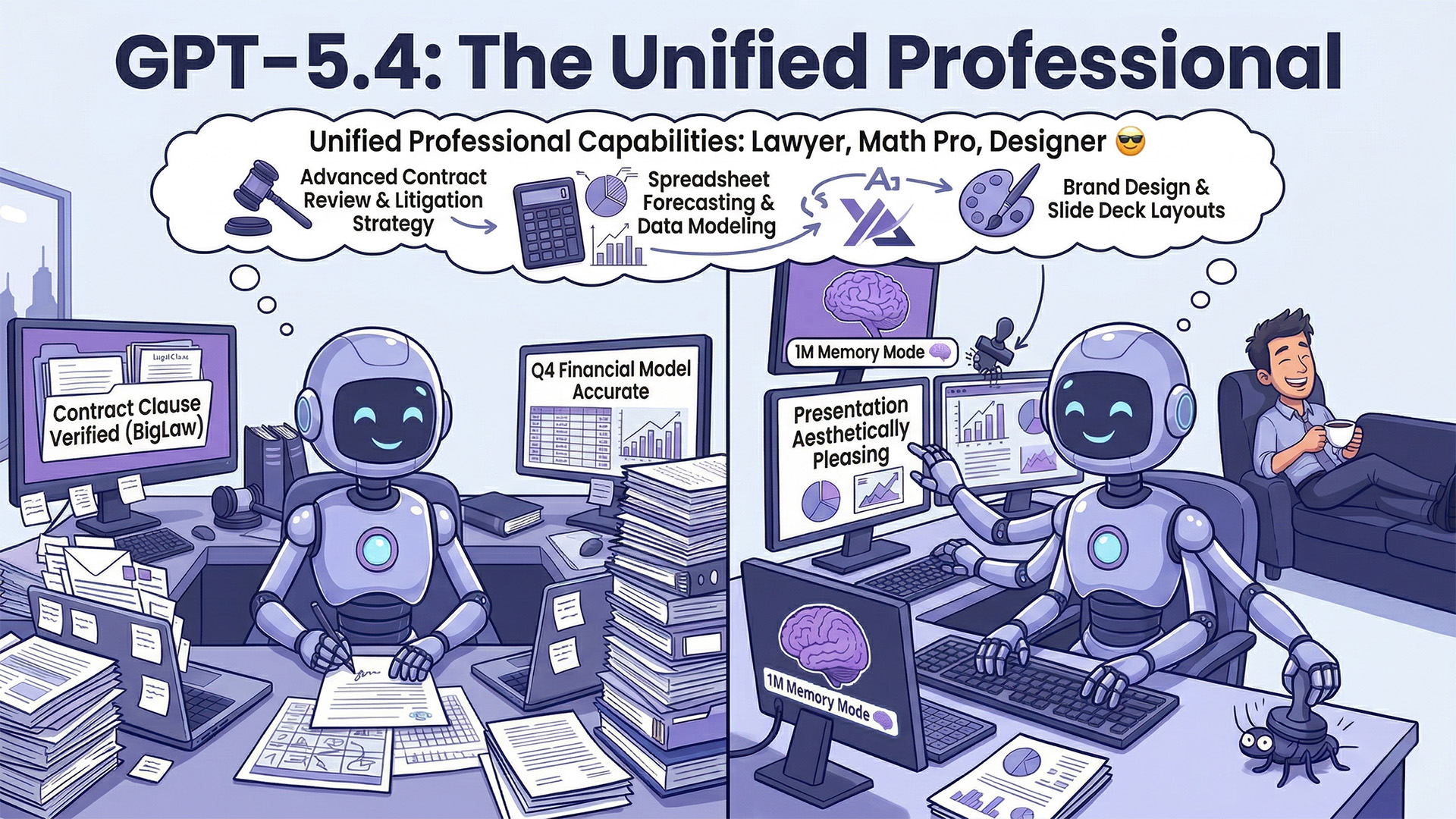
GPT-5.4 isn't just "good" at office work; it’s now outperforming humans in most professional benchmarks.
The Math Pro: It’s a wizard with spreadsheets, jumping from a "passing grade" in previous versions to nearly 90% accuracy in complex financial modelling.
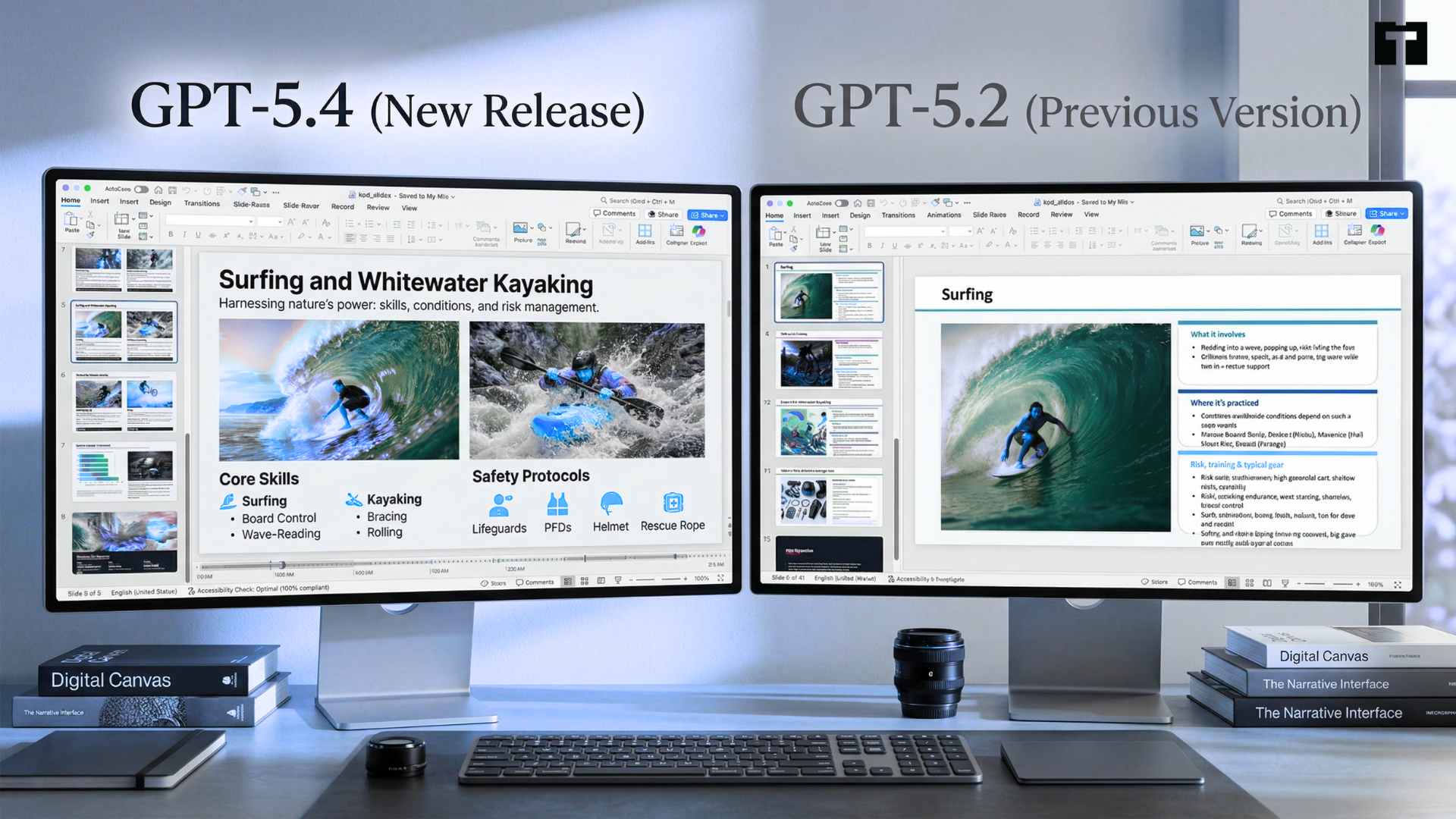
The Designer: When asked to make slide decks, humans preferred the AI’s visual style 68% of the time.
The Lawyer: It can read through massive, "fine print" legal contracts and catch details that humans often miss.
Fewer "Hallucinations: It is significantly more factual, with 33% fewer false claims than the previous version.
2. It Can Actually Use Your Computer
This is the "big" one. Instead of just staying inside a chat box, GPT-5.4 has "Native Computer Use."
Mouse & Keyboard: It can "see" your screen and move the cursor, click buttons, and type just like a person would.
Super-Vision: It can read images with incredible detail (up to 10 megapixels), meaning it can parse dense documents or tiny icons on a desktop easily.
Web Navigator: In tests, it successfully navigated websites to complete tasks 92.8% of the time.
3. Coding at Warp Speed
For developers, GPT-5.4 integrates the "Codex" engine to make building apps feel instantaneous.
Real-time Testing: It can "playtest" an app while it's building it, catching bugs visually before you even run the code.
Fast Mode: A new toggle makes the AI type code 1.5x faster, helping developers stay in "the zone."
Massive Memory: It can "remember" up to 1 million tokens of information (roughly the equivalent of several thick novels!), allowing it to understand an entire software project all at once.
4. Smarter Web Research & Efficiency
OpenAI has made the model "leaner", so it doesn't waste energy (or your money).
Better Searching: When looking for a "needle in a haystack" online, it is 17% more effective at finding the exact answer across multiple websites.
Automatic Workflows: You can give it a chain of chores—like "read my emails, find the invoices, and put the totals in this Excel sheet"—and it will stick to the task until it's done.
5. Safety and Control
As AI gets more powerful, control becomes more important.
Show Your Work: The model now provides a preamble (a plan) before it starts. If you don't like its direction, you can stop it and pivot before it finishes.
Cybersecurity: It has high-level protections to prevent it from being used for hacking or creating digital threats.
Honest Thinking: Experts found it’s harder for this model to "hide" its reasoning, making it easier for humans to monitor if it’s behaving correctly.
GPT-5.4 1M Context Window
You might hear this term again and again. So let me decode it for you.
Think of it as the AI's "Short-Term Memory": Usually, an AI can only remember a few chapters of a book at a time.
This upgrade allows it to remember an entire library, about 750,000 words, in one go.
It’s an experimental tool for developers and coders using the API or Codex. (If you just use the standard ChatGPT app, your memory limit stays the same for now.)
Using this "extra-large" memory is a premium feature. If your request exceeds 272,000 tokens, the cost is double (2x) the normal rate.
It is highly accurate (93%) for smaller tasks. However, when you fill the entire 1-million-token window, its ability to find a specific "needle in the haystack" can drop to 21%–36%.
It isn't automatic. Developers must manually enable it in their settings using the model_context_window parameter.
It ends the "copy-paste" era. You can now drop an entire software project or a mountain of legal contracts into the AI at once, and it will understand how everything connects.
GPT-5.4 in Action: Real Business Use Cases
Many companies have tested and are using GPT-5.4 across different industries:
Professional & Legal Work
Mercor ranks GPT-5.4 highest for professional tasks like financial models and presentations.
Harvey says it performs very well in legal work, especially with long and complex documents.
Partners like Thomson Reuters, Notion, and Clio use it for knowledge and document-heavy tasks.
Firms like Walleye Capital and Balyasny Asset Management test it for real-world business work.
Coding & Development
Cursor says the model is more natural and solves problems faster.
Platforms like GitHub and JetBrains use it for coding tasks.
Automation & Computer Use
Mainstay uses it to navigate thousands of websites quickly and accurately.
Momentic works with it on real-world task automation.
Workflows & Tools
Zapier finds GPT-5.4 very strong at completing multi-step workflows.
Companies like Databricks and Whoop use it for advanced workflows and data tasks.
How do VAs help you get the most out of Chat GPT 5.4?
Humans are still essential because GPT-5.4 works best as a powerful engine that needs a skilled driver.
Virtual Assistants (VAs) are the perfect partners to manage this tool and ensure it actually delivers results.
Here is how VAs specifically help when using GPT-5.4:
Defining the Goal
GPT-5.4 can execute tasks, but it doesn't understand your business "why." A VA sets the specific objectives and ensures the AI is focused on the right priorities.
Quality Control
Even though GPT-5.4 is 33% more factual, it isn't perfect. A VA acts as the final editor, reviewing all AI-generated spreadsheets, code, or docs to catch any "hallucinations" or errors.
Active Guidance
Since GPT-5.4 allows for "mid-response adjustments," a VA can watch the AI's thinking process in real-time. If it goes off-track, the VA steps in to correct its course immediately.
Handling Complexity
While the AI manages the technical "heavy lifting," a VA provides the empathy and creative problem-solving needed to handle unique client requests that a machine might miss.
The most effective model is a Human-AI partnership. The AI handles the repetitive work, while the VA focuses on strategy, accuracy, and high-level management. Even OpenAI understands it. Thus, we have the active guidance feature now.
Questions you might come up with
Who can use GPT-5.4?
It is rolling out now for ChatGPT Plus, Team, and Pro users. Enterprise and Edu customers can enable early access through admin settings.
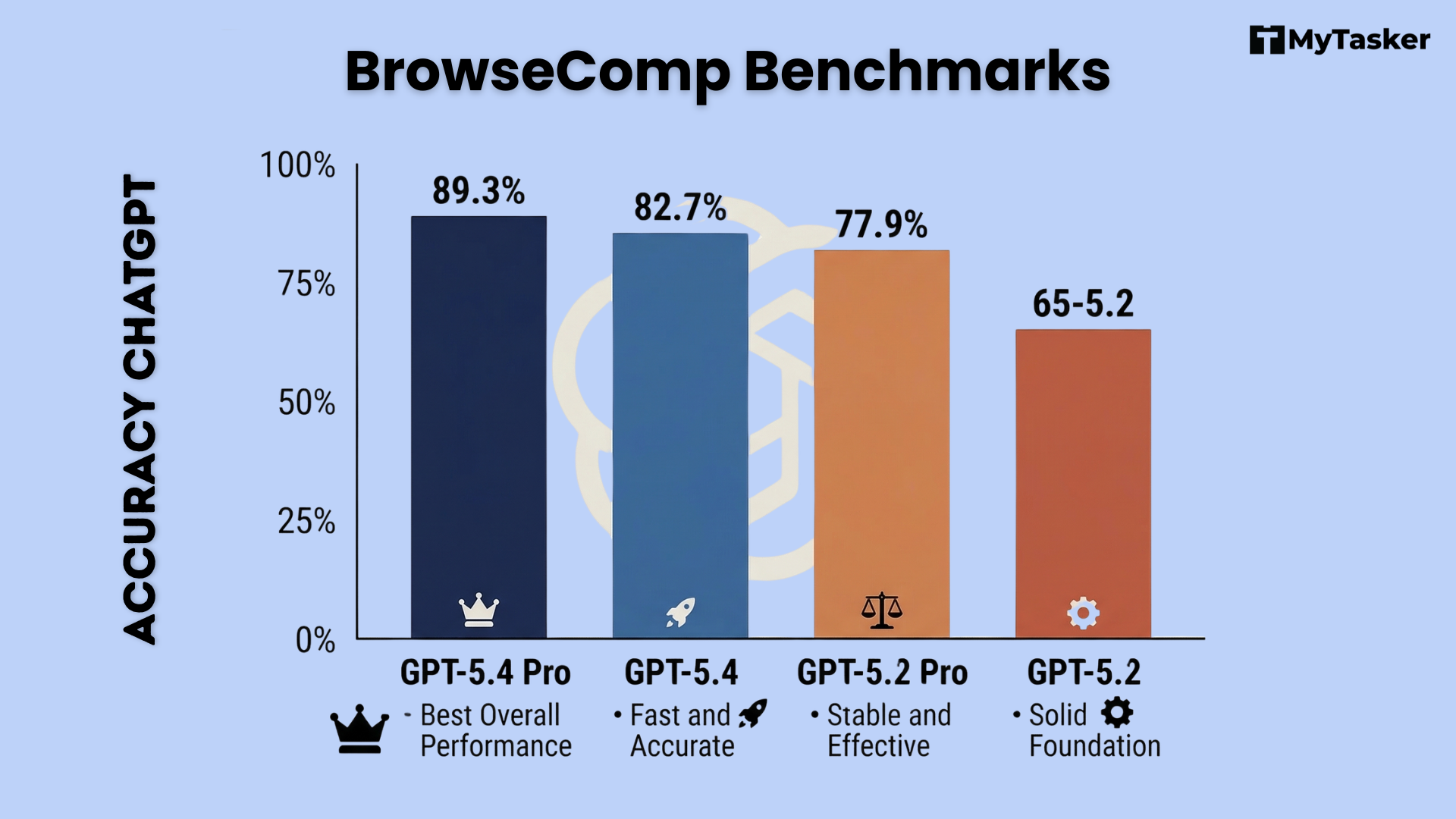
What is the difference between GPT-5.4 and GPT-5.4 Pro?
GPT-5.4 Pro is designed for maximum performance on the most complex tasks and is available in the API and for ChatGPT Pro/Enterprise users.
How much does it cost in the API?
Standard GPT-5.4 is priced at $2.50 per 1M input tokens and $15 per 1M output tokens.
While the per-token price is higher than GPT-5.2, the improved token efficiency often results in lower total costs for complex tasks.
Does it still support older models?
Yes, GPT-5.2 Thinking will remain available for paid users in the "Legacy Models" section until it is retired on June 5, 2026.
Bottom Line
GPT-5.4 is a massive shift. It’s moving away from being a chatbot that just "talks" and becoming a digital worker that actually "does”.