Website speed isn’t about chasing perfect scores. It’s about making sure visitors aren’t waiting, frustrated, or leaving before your content even appears.
In 2026, speed directly affects trust, engagement, conversions, and search visibility. Google emphasizes this through Core Web Vitals, which measure how fast and stable your site feels to real users:
-
Largest Contentful Paint (LCP): under 2.5 seconds
-
Interaction to Next Paint (INP): under 200ms
-
Cumulative Layout Shift (CLS): under 0.1
Before making changes, test your site:
-
Google PageSpeed Insights
-
GTmetrix or WebPageTest
-
WordPress.com’s built-in Performance tab (for WordPress.com users)
If your site feels slow, don’t assume something is “broken.” Most performance issues come from a small number of common choices—and they’re fixable.
What Actually Makes a Website Slow
Understanding the root causes of slow websites, such as heavy themes, unoptimized images, and excess plugins, is a key focus of web design and development. This is where performance is built into every project from the ground up. Across thousands of WordPress sites, the same issues appear again and again:
-
Large or unoptimized images
High-resolution images often load far larger than needed and are the #1 cause of slow pages. -
Too many plugins
Each plugin adds scripts, styles, and database queries—especially poorly coded ones. -
Outdated plugins or themes
Old code misses modern optimizations and can quietly hurt performance. -
Heavy or inefficient themes
Feature-packed or custom themes often load far more code than your site actually uses. -
Large pages
Pages overloaded with images, galleries, videos, or long content naturally take longer to load. -
External embeds and scripts
YouTube videos, ads, widgets, analytics, and social embeds rely on third-party servers.
Even on fast hosting, these choices can slow a site down.
A Note About WordPress.com Performance
If you are using WordPress.com, there are several guides on WordPress performance optimization that explain how to make the most of its built-in infrastructure while avoiding common speed bottlenecks. If your site is hosted on WordPress.com, many technical speed optimizations are already handled for you:
-
Fast, optimized servers
-
Built-in caching
-
A global CDN that serves content from nearby locations
-
Automatic scaling during traffic spikes
-
Continuous updates to WordPress and PHP versions
-
Speed-tested themes
This means performance issues on WordPress.com usually come from how the site is built, not the infrastructure.
Speed still depends on images, themes, plugins, and page layout.
How to Test Performance on WordPress.com
You can check your site’s performance directly from your dashboard:
-
Go to My Sites → Settings → Performance
-
The report loads automatically in about 30 seconds
-
Scores are shown separately for mobile and desktop
-
You can retest or check other public pages
The report includes clear, tailored recommendations based on your site—not generic advice.
Key metrics to watch:
-
First Contentful Paint (FCP): under 1.8s
-
Largest Contentful Paint (LCP): under 2.5s
-
Cumulative Layout Shift (CLS): ≤ 0.1
-
Time to First Byte (TTFB): ~800ms or less
-
Total Blocking Time (TBT): under 200ms
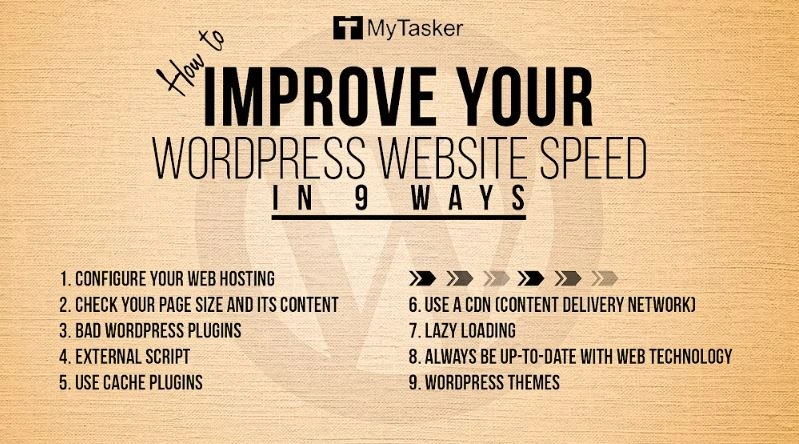
9 Proven Ways to Improve WordPress Speed
1. Start With Images (Biggest Impact)
Images are the most common cause of slow sites.
-
Resize images to what’s actually needed (often 1600px wide is enough)
-
Compress images without visible quality loss
-
Use modern formats like WebP
-
Avoid uploading massive camera originals
You can safely reduce image size dramatically—often from megabytes to kilobytes—without users noticing.
2. Avoid Heavy Pages
A single page can become slow simply because it tries to do too much.
Be mindful of:
-
Too many galleries
-
Multiple videos on one page
-
Excessive embeds
For example, a page with many video embeds can score dramatically lower than one with a single embed.
3. Use a CDN (Already Included on WordPress.com)
A CDN delivers images and static files from servers closest to visitors.
On WordPress.com, Jetpack Site Accelerator (CDN) is enabled by default and:
-
Speeds up image loading
-
Automatically serves WebP images
-
Reduces server load globally
No setup is needed—just confirm it’s active.
4. Keep Plugins to the Essentials
More plugins = more code to load.
Best practices:
-
Delete plugins you don’t use
-
Avoid overlapping plugins
-
Check ratings, update history, and active installs before adding new ones
On WordPress.com, you don’t need plugins for:
-
Caching
-
Security
-
Backups
-
Spam protection
-
Basic performance optimization
Those are already handled.
5. Use Jetpack Boost (Plugin-Enabled Sites)
Jetpack Boost helps with user-level optimizations:
-
Ensures critical CSS loads first
-
Delays non-essential JavaScript
-
Identifies images that need optimization
-
Improves perceived loading speed
It’s especially helpful for SEO and smooth visual loading.
6. Choose a Lightweight Theme
Your theme controls how much code loads before content appears.
-
All WordPress.com themes are speed tested
-
Third-party themes should be reviewed carefully
-
Avoid themes packed with features you don’t need
Beautiful design doesn’t require heavy code.
7. Be Careful With External Scripts and Embeds
Third-party services add value—but they also add delays.
Use sparingly:
-
Video embeds
-
Ads
-
Analytics tools
-
Social widgets
Each external request is something your site has to wait for.
8. Keep Everything Updated and Clean
Outdated tools slow sites over time.
Regularly:
-
Update plugins and themes
-
Delete unused plugins
-
Remove spam comments
-
Clean up content you no longer need
Performance improves when clutter is removed.
9. Monitor Performance Over Time
Regular speed testing and performance tracking are essential, where marketing experts come in to review website analytics and optimization metrics to track long-term improvements.
Speed isn’t a one-time task.
Check performance regularly and watch how changes affect results. Automated tools are helpful, but remember: chasing every warning can lead to a stripped-down site that doesn’t serve real users.
The goal is balance—fast and functional.
Quick Overview
A fast WordPress site isn’t about tricks or endless plugins. It’s about thoughtful choices.
If you’re on WordPress.com, much of the hard work is already done for you. What matters most is how you use images, themes, plugins, and embeds.
Respect your visitors’ time. Keep things simple. Measure, adjust, and maintain.
That’s how fast sites stay fast.
By combining smart design decisions with ongoing optimization, our Web Design and Development and Digital Marketing services help ensure your WordPress site stays fast, efficient, and conversion-ready over time.